
Client Alert - Microsoft Office update affecting Dynamics GP and Word Templates + Integration Manager & SmartConnect
Microsoft Office Update causing issues with Dynamics GP Word Templates, Integration Manager and eOne SmartConnect functionality

September 18, 2020 - Microsoft released an update to Microsoft Office products last week. Your organization may have installed this update on PCs and servers running Office 365 and standalone Office software. The update has been identified to cause issues that prevent GP Word Templates from functioning. This same update has also caused issues that impact GP Integration Manager and eOne SmartConnect.
The Word Template issue causes a message like the above to be displayed when a Template report is generated by GP.
Microsoft is aware of the issue and is working on a Hotfix. For the time being, the only way to resolve the issue is to roll back the Office update.
Please follow the steps in this article to roll back the Office update. https://support.microsoft.com/en-ca/help/2770432/how-to-revert-to-an-earlier-version-of-office-2013-or-office-2016-clic
If you have any questions or require assistance to resolve these issues please contact the Endeavour Solutions Support team by emailing support@endeavoursolutions.ca
Microsoft Office Update causing issues with Dynamics GP Integration Manager and eOne SmartConnect
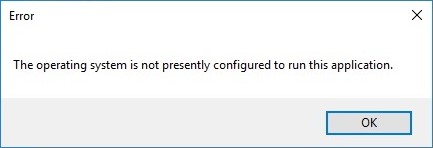
The issues with GP Integration Manager and eOne SmartConnect are also caused by the Office update. When attempting to run an Integration or a SmartConnect map you will receive the above error.
To resolve these issues, you need to download and install the Microsoft Access Database Engine 2010 Redistributable from this link.
https://www.microsoft.com/en-us/download/details.aspx?id=13255
Select the 32-bit version, not the 64-bit version when downloading. If you receive an error stating that you have 64-bit Office products installed, follow the steps in this article from eOne.
If you have any questions or require assistance to resolve these issues please contact the Endeavour Solutions Support team by emailing support@endeavoursolutions.ca