The Strategy to Move from Dynamics GP to Business Central
Migrate from Dynamics GP to Business Central with Endeavour Solutions
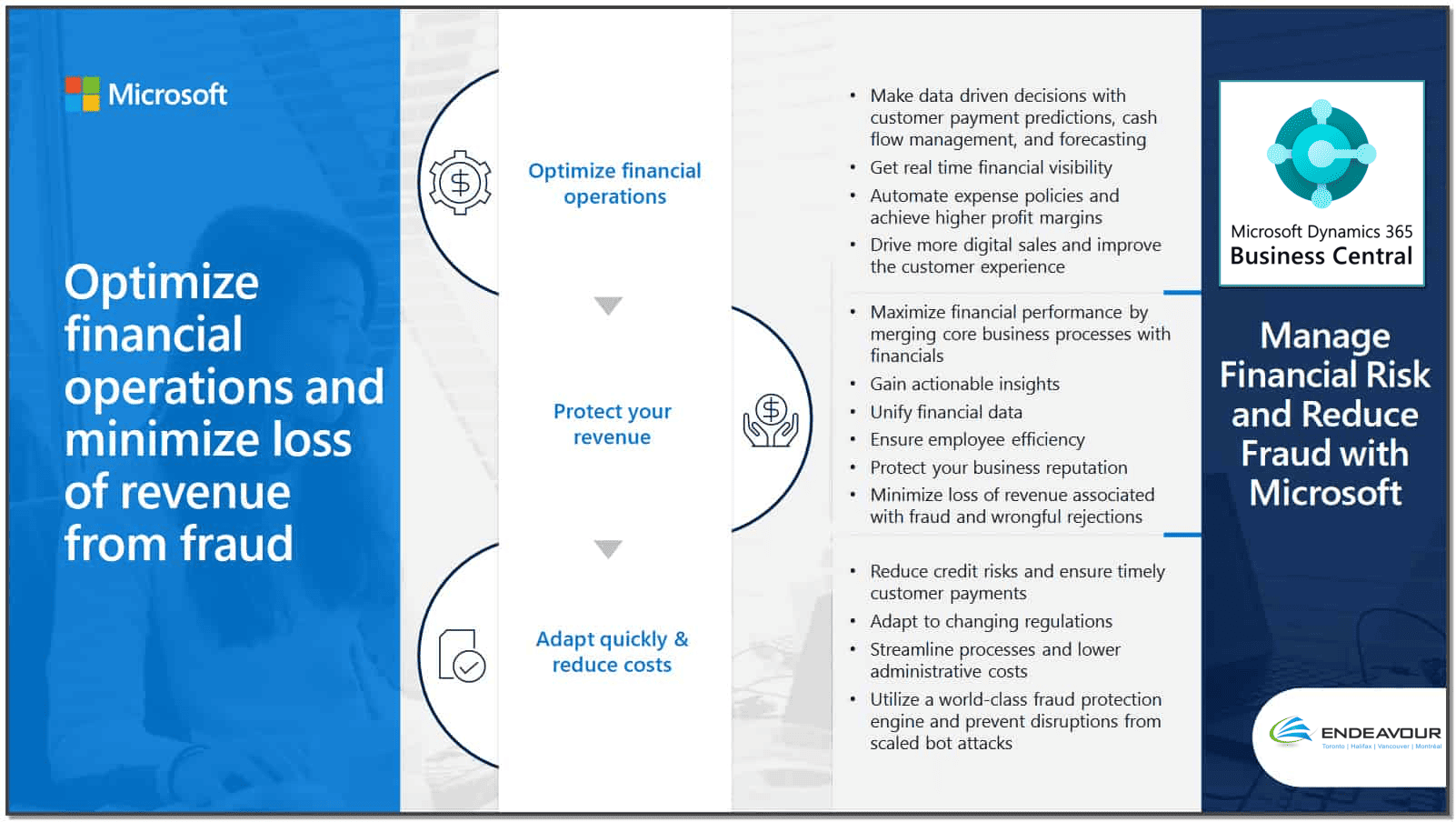
For decades, Dynamics GP has been a trusted ERP solution for small and mid-sized businesses, but with Microsoft officially announcing its end-of-life in 2029 and 2031 end-of-security updates, the time to plan your transition is now. Microsoft has made it clear that Dynamics 365 Business Central is the future, offering a cloud-based, all-in-one ERP designed for scalability and modernization.
As a leading Microsoft partner, Endeavour Solutions specializes in comprehensive migrations from Dynamics GP to Business Central, ensuring minimal disruption and maximum efficiency. Our experts help businesses unlock cost savings, improved integration, and future-proofed operations with Business Central’s advanced capabilities.
Why Migrate to The Cloud with Business Central
- Cost-Effective & Scalable: Reduce IT costs with a subscription-based model and eliminate expensive on-premise hardware.
- Simplified Integration: Leverage deep integration with Microsoft 365, Copilot, and other essential business applications in and out of the Microsoft Ecosystem.
- Future-Proofed ERP: Stay ahead with regular updates, automation, AI-driven insights, and built-in compliance features.
- Expert-Led Transition: Minimize risks with our proven migration strategies specific to your business needs.
Endeavour Co-Authored Whitepaper on Strategic Migration
“Too many clients ask for the bare minimum, or ask for like-for-like functions between Dynamics GP and Business Central, thus missing out on the ability for true transformation and change. Changing a new ERP, rebuilding all reports, and re-training your staff is a great opportunity to change and update business processes to take advantage of new best practices.”
Steve Ewing, Vice President, Endeavour Solutions
Creating a Strategy for Your Migration to Dynamics 365 Business Central
A successful transition to Business Central requires allocating time for careful planning and a clear strategy. By defining your business needs, evaluating existing systems, and ensuring stakeholder involvement, you can minimize disruptions and maximize the benefits of your new cloud-based ERP. Follow these key steps to create a smooth and efficient migration plan.
- Book a Demo: Work with your Microsoft Partner to see Business Central in action and explore key features.
- Define Business Requirements: Document your current GP workflows, customizations, and must-have functionalities in Business Central.
- Assess ISV Solutions: Determine which third-party solutions can be replaced with native Business Central features and which require alternatives.
- Review Integrations: Identify existing system connections and decide whether they need to be rebuilt or replaced.
- Plan for Reporting & Analytics: Document required reports and dashboards, and explore third-party reporting tools if needed.
- Engage Key Stakeholders: Assign a project champion, involve key users early, and secure executive commitment.
- Budget for Success: Allocate funds for migration, training, implementation, and ongoing support.
- Manage Data Migration: Decide what data to migrate from Dynamics GP and establish a strategy for historical data storage.
How Endeavour can Help
Endeavour Solutions has been supporting Microsoft Dynamics ERP for over 35 years. Over that time we have performed over 1,200 upgrades and implementations of ERP, CRM and Cloud applications. The Microsoft Dynamics 365 Migration Program sets out 3 easy steps to migrate from on-premise (GP/NAV) to the Microsoft Cloud in the USA or Canada with the SaaS Cloud-based Business Central ERP.
- The Microsoft Dynamics 365 Migration Program includes a number of special offers and promotions from Microsoft for additional discounts when moving from on-premise systems (AX, CRM, GP, and NAV) to Dynamics 365 in Canada or USA. Contact our team to learn if you qualify.
3 simple steps:
-
-
- a subscription license review including special offers
- an assessment and estimate
- a cloud upgrade following a defined timeline and proven methodology.
-